From fixed license to Copilot Credits: how Microsoft Copilot, agents and Cowork are billed in 2026
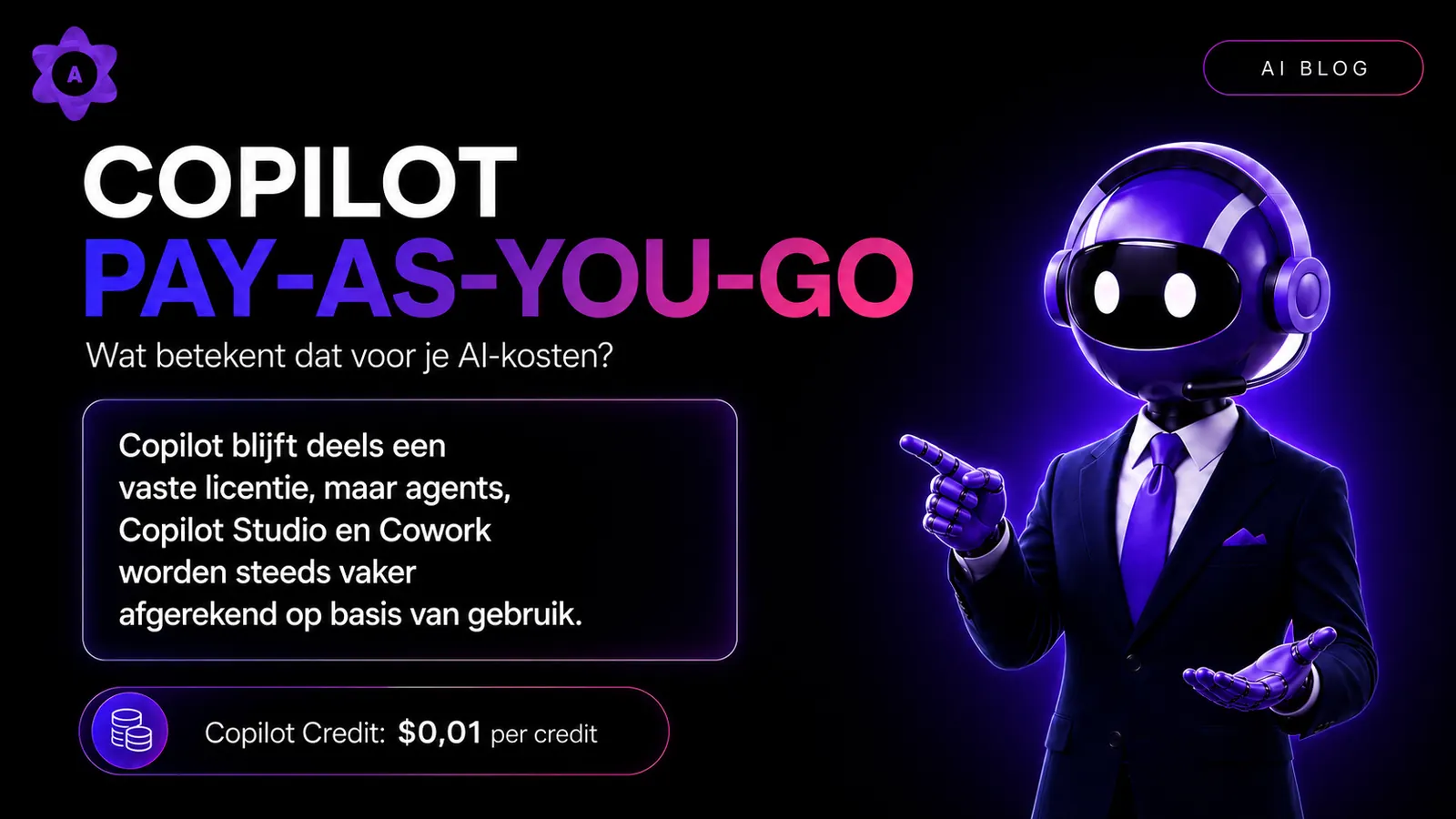
Until recently, Microsoft Copilot pricing was relatively straightforward. Every Microsoft 365 user had access to the free Microsoft Copilot Chat, and organizations that wanted more could purchase a per-user Microsoft Copilot license. According to Microsoft's official pricing page, the indicative price is currently around $30 per user per month on an annual subscription, on top of a suitable Microsoft 365 base plan. For small organizations there's a separate Microsoft Copilot Business variant at a lower indicative price. Actual amounts vary by region, customer situation and moment, so always check Microsoft's official pricing page before drawing conclusions [10][11].
The structure is now being extended with an extra layer. For certain AI scenarios you increasingly pay for what you actually use, similar to a variable electricity or data plan. That doesn't apply to everything, but it does apply more and more to AI agents, Copilot Studio and Copilot Cowork. The unit of account is called Copilot Credits, and you can purchase them in multiple ways: purely on a pay-as-you-go basis, via prepaid packages, or through a Copilot Studio subscription. All routes ultimately come down to those same Copilot Credits [4][6].
In this article we outline what's changing, how it works and what organizations should watch out for. All prices, claims and credits are indicative figures based on public Microsoft documentation at the time of writing. The official Microsoft prices and the Microsoft Copilot Credits Guide are always leading and can be adjusted by Microsoft at any time.
The basics: which Copilot do you actually have?
Before looking at the costs, it's important to know which Copilot you and your colleagues are working with. Microsoft Copilot is the umbrella name Microsoft uses for all its AI assistants. It covers two business variants, Copilot Chat and Microsoft 365 Copilot, plus add-ons billed via Copilot Credits. The distinction between them determines almost everything that follows.
| Version | What it is | How you pay |
|---|---|---|
| Copilot Chat (also called Copilot Basic) | Free business chatbot, comparable to ChatGPT but from Microsoft. For questions, documents and analysis; does not work with your email, Teams and SharePoint. | Included with Microsoft 365 |
| Microsoft 365 Copilot (also called Copilot Premium) | Copilot in Word, Excel, Outlook, PowerPoint, Teams and Search, with your information from SharePoint, email and Teams, basic agents and AI models such as Claude Opus. | License per user, around $30 per month [10] |
| Cowork, Copilot Code and Autopilot | Add-ons: multi-step tasks, building apps in plain language and an agent that keeps working. | Usage-based, via Copilot Credits [6] |
| Copilot Studio | Advanced agents and workflows with connections, on the Microsoft Power Platform. | Copilot Credits [8][11] |
The free Microsoft Copilot Chat is included in most business Microsoft 365 subscriptions as an entry variant. It lets you chat based on public web data, upload files for analysis and work with simple AI agents that only use fixed instructions and public websites. Microsoft introduced this variant in January 2025 as a broad entry point for every employee [1].
Microsoft 365 Copilot, which many organizations also call Microsoft Copilot Premium, is the paid license: an add-on with an indicative price of around $30 per user per month on an annual plan, on top of a suitable Microsoft 365 base subscription. This license adds Copilot inside Word, Excel, PowerPoint, Outlook and Teams, provides access to AI agents that can query internal business data from SharePoint, OneDrive and Graph Connectors, and offers Copilot Studio functionality for business scenarios [10][11].
Microsoft 365 Copilot also gives you AI models from multiple providers: besides OpenAI, also Anthropic, with models such as Claude Opus. In European tenants the Anthropic models are off by default and an admin has to turn them on. They also fall outside the EU Data Boundary, so align this with your IT beforehand [19].
What you ultimately pay per user therefore depends on your existing base plan plus the add-on, and can vary significantly. Again, Microsoft's official pricing page is leading [10].
The distinction between the free and the paid variant runs through the rest of this article. On the free variant, costs mainly arise as soon as agents use internal business data. On the paid Microsoft Copilot license, much standard usage is included, especially for internal business-to-employee scenarios. At the same time, a premium license doesn't mean all agentic or autonomous AI is unlimited without extra costs. For Copilot Studio, more advanced agent features, actions beyond standard use, Work IQ API and especially Cowork, Copilot Credits may still be required [3][6][7].
What are tokens and what are Copilot Credits?
AI models don't read text the way humans do. They break text into small pieces called tokens. Microsoft describes a token as a single character, part of a word or a whole word [12]. When you type a prompt, those become input tokens. The answer the AI returns consists of output tokens. Images and documents can also be turned into tokens when they're part of a prompt [12].
You usually don't see those tokens on your invoice. There you'll see a different unit: Copilot Credits. According to Microsoft's public documentation, one Copilot Credit currently costs $0.01 on pay-as-you-go, and how many credits an interaction uses depends on what the AI actually does. A simple answer costs fewer credits than an extensive analysis that queries multiple sources [2][4][6].
In short: tokens are the technical building blocks the model reads and writes with, and Copilot Credits are the commercial unit Microsoft ultimately appears to bill in. Microsoft translates the complex reality of tokens and compute behind the scenes into one understandable unit of account.
Scenario 1: Microsoft Copilot Chat and AI agents
Not every agent automatically comes with a cost, but the rules differ depending on which Copilot variant you use.
For users of the free Microsoft Copilot Chat, Microsoft's official documentation states that simple AI agents that only use fixed instructions and public websites are available at no extra cost. These are called declarative agents and suit scenarios where you want to give Copilot a specific role without touching internal data. As soon as an agent queries internal business data — for example files in SharePoint, OneDrive or data sources connected via Graph Connectors — that usage is billed in Copilot Credits according to Microsoft's current documentation [3].
For this group, it's important to know that paid agents in Copilot Chat are often off by default. An administrator must first activate the pay-as-you-go model in the Microsoft 365 admin center before unlicensed users can use these agents [3][13].
For users with a Microsoft Copilot license the picture is more nuanced. Microsoft indicates that much standard agent usage in internal business-to-employee scenarios generally falls within the license, for example when a licensed employee uses an agent that queries internal Microsoft 365 data. That doesn't mean everything is unlimited or always free. For Copilot Studio, more advanced agent features, actions, tool use, automation and scenarios beyond normal internal use, Copilot Credit consumption may still occur [3][6][7].
SharePoint agents fall under this same model according to Microsoft. These are AI agents that automatically belong to a SharePoint site and answer questions based on documents on that site. Those without a Microsoft Copilot license can still use them via pay-as-you-go, with consumption billed in Copilot Credits [3][15].
Scenario 2: Copilot Studio and custom agents
Copilot Studio is the platform organizations use to build their own AI agents. Think of an HR agent that answers questions about leave policies, an IT helpdesk agent that resolves common issues, or a knowledge agent that unlocks internal procedures.
Since 1 September 2025, Microsoft has used the term Copilot Credits in Copilot Studio instead of the previous term messages. According to the official documentation the number of credits per prepaid package and the pay-as-you-go rate remained unchanged. Only the name changed, which makes things more consistent since the same unit now recurs across multiple Copilot services [7].
Microsoft publishes the following indicative figures for consumption per agent function in the official Copilot Studio documentation:
| Agent function | Copilot Credits | With Microsoft Copilot license |
|---|---|---|
| Standard answer | ~1 credit | Often included in internal B2E use |
| AI-generated answer | ~2 credits | Often included in internal B2E use |
| Action by the AI agent | ~5 credits | Often included, except for autonomous scenarios |
| Answer on internal data (tenant graph grounding) | ~10 credits | Often included in internal B2E use |
| Automated process steps (per 100 actions) | ~13 credits | Check flow, trigger and channel |
By way of example: Microsoft's own documentation mentions that an agent combining tenant graph grounding with a generative answer can, at indicative rates, consume roughly 12 Copilot Credits per complex interaction. At an indicative rate of $0.01 per credit, that's about $0.12 per interaction. Multiplied by hundreds or thousands of interactions per day, you can see why cost management becomes important in larger implementations. Actual amounts may differ [7].
Here too, the distinction between the two Copilot variants matters — but it's not simply a free vs paid story. Microsoft indicates that much Copilot Studio use in employee-facing, internal business-to-employee scenarios is included when the end user has a Microsoft Copilot license and the agent is used within the Microsoft 365 context. For unlicensed users, external users, other channels, autonomous triggers, premium tools or scenarios outside that standard framework, consumption may still be billed in Copilot Credits [7][8].
In addition to pay-as-you-go, Microsoft also offers prepaid capacity packages. According to the official documentation, one Copilot Studio pack contains 25,000 Copilot Credits per month at an indicative price of $200. Unused credits generally don't roll over to the next month, so choosing a pack is a trade-off between predictability and actual usage [7][15].
Copilot Cowork: a new layer with a new bill
Copilot Cowork became generally available worldwide on 16 June 2026. According to Microsoft, Cowork is an experience that performs tasks on your behalf — sending emails, scheduling meetings, creating documents, posting messages in Teams, managing files and searching organizational information. The user stays in control, since every action is submitted for approval first [5].
What sets Cowork apart is the pricing model. Cowork isn't a standalone free feature; it requires a Microsoft Copilot license. That license grants access to Cowork, but the tasks executed are additionally metered in Copilot Credits. In other words: you first need the premium Copilot license to use Cowork, and on top of that fixed license a variable bill may arise based on actual usage. The Microsoft Copilot Credits Guide notes that no default Cowork allowance is included in the Microsoft Copilot license [5][6].
The Copilot Credits Guide describes four factors that determine the consumption of a Cowork task:
- The AI model used — lighter models typically cost fewer credits than heavier ones
- The duration of the task — longer-running tasks use more credits
- The amount of work data retrieved for context
- The actions the agent performs, with each action metered separately
Microsoft's official communication cites indicative orders of magnitude for Cowork tasks:
| Task weight | Example | Credits per task | Indicative cost |
|---|---|---|---|
| Light | Weekly status update based on your calendar | A few hundred | ~$1 – $5 |
| Medium | Customer briefing based on emails, calendar and CRM data | A few hundred to ~700 | ~$3 – $7 |
| Heavy | Analysis of half a year of product data | From ~1,000 and up | ~$10 and up |
At an indicative rate of $0.01 per credit, that translates to indicative amounts of a few dollars per task for lighter tasks and multiples of that for heavier ones. Actual amounts can vary significantly depending on model, context, tool calls and duration. The Microsoft Copilot Credits Guide and Microsoft's blog around Cowork's general availability are the go-to sources for the most current examples [5][6].
Importantly, Cowork must be handled differently from ordinary Copilot use in Word, Outlook or Teams. A Microsoft Copilot license is required to use Cowork, but according to the Copilot Credits Guide that license contains no default Cowork allowance. Cowork is effectively a seat plus usage model [5][6].
Work IQ API: the engine behind your own agents
Work IQ is the intelligence layer behind Microsoft Copilot that Microsoft announced at Ignite 2025. According to Microsoft, Work IQ combines work data such as emails, files, meetings and chats with context and tools so Copilot and agents can better understand you, your work and your organization. This happens while preserving permissions, security and governance, with every request honoring who has access to what [16].
The Work IQ API became generally available on 16 June 2026. It enables custom agents and apps — built in Copilot Studio, Microsoft Foundry or an external platform — to ground in Microsoft 365 data without the organization having to build search indexes or connectors itself. Microsoft's official licensing information states that the Work IQ API is separate from the Microsoft Copilot license and is billed on a usage basis in Copilot Credits. For use via Microsoft's ready-made agents the existing license applies [17].
Microsoft notes that an administrator must first enable pay-as-you-go for these services in the Microsoft 365 admin center. Until that's configured, agents relying on the Work IQ API generally won't work. In that same admin center you set budgets, limits and warnings and track consumption per user, group and agent [18].
Microsoft's official communication cites indicative amounts per Work IQ API call. A Work IQ Tool API call additionally costs roughly 0.1 Copilot Credit. The real price depends on scenario complexity [17].
| Scenario | Cost per call | Use case |
|---|---|---|
| Light | ~$0.20 – $0.40 | Short, focused queries with limited context |
| Medium | ~$0.30 – $0.75 | Broader search with more work data |
| Heavy | ~$0.50 – $1.50 | Deeper analysis with lots of context and tools |
Common misunderstandings
Some persistent misunderstandings around this new pricing structure are worth clearing up, always with the caveat that Microsoft's official documentation is leading.
- "Copilot Chat is free, so agents are free too." Not automatically. In the free Microsoft Copilot Chat, agents that only follow instructions or query public websites are free according to Microsoft. As soon as an agent uses internal business data, billing in Copilot Credits may apply — provided an administrator has enabled pay-as-you-go [3].
- "Setting a budget always prevents overspend." Not by definition. Microsoft indicates that in some pay-as-you-go scenarios a set budget historically mainly triggers an email warning without automatically stopping usage. The newer cost management environment for Copilot Credits offers broader controls such as rules, budgets, warnings and hard limits that can block further usage [4][14].
- "With a Microsoft Copilot license everything is included." No, that's too simplistic. For Cowork, Work IQ API, more advanced agentic tasks, autonomous scenarios, external usage or atypical channels, Copilot Credit consumption may still arise. The Microsoft Copilot Credits Guide also notes that no default Cowork allowance is included in the Microsoft Copilot license [6][7].
- "Pay-as-you-go is always more expensive than a license." That strongly depends on usage patterns. For small or occasional users, pay-as-you-go can work out cheaper than a full license. For intensive users, a license is usually more predictable [10][15].
Practical: how to stay in control of your AI budget
Start small. Consider not opening pay-as-you-go broadly across the whole organization at once. First pick a few clear use cases where you expect AI to add value and measure consumption there. That way you build confidence step by step without immediately taking on major financial risk.
Think in Copilot Credits. Copilot Credits are the unit of account for this usage, and you decide in the Microsoft 365 admin center how you purchase them. Microsoft offers two main options: pay-as-you-go (billed per usage at the applicable rate) or prepaid packages that cover consumption for a fixed price. Combining is generally possible, giving you a fixed base while absorbing peaks with pay-as-you-go [14][15].
Allocate credits deliberately. You don't have to open Copilot Credits to the whole organization immediately. In the admin center you can assign credits to specific employees, teams or departments and exclude others. That way you can give a pilot group access first, keep consumption in check with budgets and hard limits, and prevent costs from creeping up unnoticed [14][15].
Monitor actively. The cost management environment lets you track consumption per user, group, service or AI agent and analyze where costs originate. Doing this regularly gives you early visibility into which agents consume many credits and whether that consumption is proportionate to the value they deliver [14].
Train employees on cost as well. Not just in prompts, but in cost-aware usage. When do you use Copilot Chat, when an AI agent, when Cowork, and when does a plain SharePoint search suffice? Ideally employees should not only understand what AI does, but in this new model also have a rough sense of what it costs.
Choose consciously between license and pay-as-you-go. For employees who use Copilot intensively daily, a regular license is typically the most predictable option at current indicative prices. For colleagues who only use AI occasionally, pay-as-you-go may fit better.
How AmeCoda helps
AmeCoda helps companies not only with training but also with guidance. Together with teams we look at where Copilot, agents or Cowork add value — and where they don't. We do that through targeted advice and a digital scan of the current situation. Based on that, we advise how an organization can deploy Copilot Credits strategically, where certain functionality is better switched off and which settings help avoid unexpected costs.
We also train employees to work responsibly with Copilot and agents, so they not only work effectively with AI but also consciously handle usage, data and the possibilities within their role. The result is not a loose collection of experiments, but a structured approach with use cases that match the organization's work, data and goals.
That matters in a pay-as-you-go model. Experimenting without a plan can unnecessarily burn credits and only later reveal that an application delivered little. With AmeCoda's guidance and training, organizations and their employees learn upfront which AI applications are useful, how to deploy them efficiently and how to avoid unnecessarily high consumption [15].
Conclusion
Microsoft Copilot isn't simply getting more expensive. It's being billed differently. The fixed per-user license is expected to remain the foundation, but on top of that, usage-based costs will increasingly appear for new and more advanced capabilities. For AI agents with internal business data used by unlicensed users, for certain Copilot Studio scenarios, for the Work IQ API and especially for Copilot Cowork, Microsoft states that usage can be metered in Copilot Credits. For premium users much standard internal usage is included, but that doesn't mean all agentic, autonomous or long-running AI tasks are automatically free.
For leadership this means the AI budget becomes more dynamic and new questions arise around predictability and governance. For IT, monitoring, cost management and clear budget rules become more important. For employees, awareness of what you use and what it costs is now part of professional AI work.
Those who prepare this transition in a structured way are better positioned to reap the benefits of a powerful AI environment with fewer unpleasant surprises. For all definitive amounts, terms, included scenarios and rates, Microsoft's official pricing page, the Microsoft Copilot Credits Guide and the current Microsoft Learn documentation are always leading [4][6][7][10][11].
References
- [1]https://www.microsoft.com/en-us/microsoft-365/blog/2025/01/15/copilot-for-all-introducing-microsoft-365-copilot-chat/
- [2]https://learn.microsoft.com/en-us/microsoft-365/copilot/pay-as-you-go/meters
- [3]https://learn.microsoft.com/en-us/microsoft-365/copilot/pay-as-you-go/overview
- [4]https://learn.microsoft.com/en-us/microsoft-365/copilot/usage-based-billing-overview-copilot-credits
- [5]https://learn.microsoft.com/en-us/microsoft-365/copilot/copilot-cowork-overview
- [6]https://cdn-dynmedia-1.microsoft.com/is/content/microsoftcorp/microsoft/bade/documents/products-and-services/en-us/ai/Microsoft-Copilot-Credits-Guide-June-16-2026-PUB.pdf
- [7]https://learn.microsoft.com/en-us/microsoft-copilot-studio/requirements-messages-management
- [8]https://learn.microsoft.com/en-us/microsoft-copilot-studio/billing-licensing
- [9]https://learn.microsoft.com/en-us/copilot/agents
- [10]https://www.microsoft.com/en-us/microsoft-365-copilot/pricing
- [11]https://www.microsoft.com/en-us/microsoft-365-copilot/pricing/copilot-studio
- [12]https://learn.microsoft.com/en-us/copilot/prompt-tokens
- [13]https://learn.microsoft.com/en-us/microsoft-365/copilot/pay-as-you-go/setup
- [14]https://learn.microsoft.com/en-us/microsoft-365/copilot/usage-based-billing-overview-copilot-credits
- [15]https://learn.microsoft.com/en-us/microsoft-365/copilot/pay-as-you-go/copilot-capacity-packs
- [16]https://learn.microsoft.com/en-us/microsoft-365/copilot/
- [17]https://www.microsoft.com/en-us/licensing/news/work-iq-general-availability
- [18]https://m365admin.handsontek.net/general-availability-work-iq-api-copilot-credits-billing/
- [19]https://learn.microsoft.com/en-us/microsoft-365/copilot/connect-to-ai-subprocessor