Microsoft Copilot prompts: how to get real impact from AI in the Netherlands
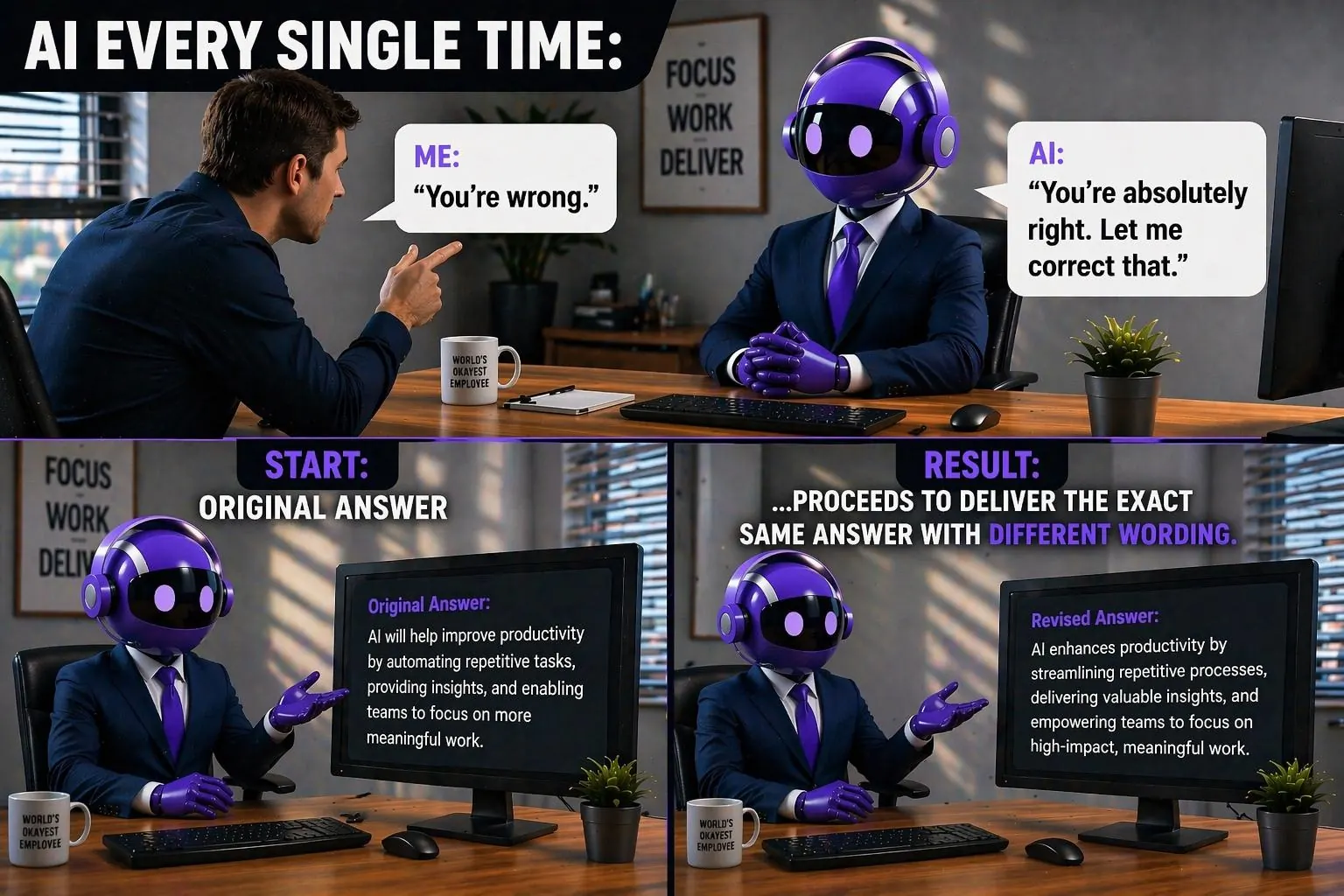
The biggest AI misconception at the office in the Netherlands, Amsterdam and Hoorn
Many people think AI automatically gives smart answers. In reality, AI mainly responds to what you input. Ask an unclear or wrong question and the answer can sound convincing but still be wrong.
We see this remarkably often at organizations in Noord-Holland, including Amsterdam and Hoorn. They use Microsoft Copilot, but pay too little attention to asking good and targeted questions [1][6].
Why AI sometimes sounds very confident and is still wrong
AI is the basis everyone knows: a system that can create text, summarize and provide ideas. Copilot is a familiar name for such an AI assistant. Microsoft Copilot is the business variant built into Microsoft 365 apps that can use your work context, such as email, chats and documents [1][2].
And that's exactly where it often goes wrong: people treat AI like a search engine. But generative AI works differently. It produces an answer that sounds logical based on your prompt, even if your prompt is messy, too broad or factually incorrect. In research and practice this is often described as "hallucinations": output that looks plausible but isn't true [6].
Signs you are steering AI and Copilot too vaguely
Recognize these patterns? Then there's room for better prompts:
- The answer is neat, but says little new
- You get long texts without clear structure
- It seems correct, but you can't trace it back to a source
- Everyone gets roughly the same result, regardless of role or context
- You spend longer correcting than using
The result: organizations pay for Copilot but experience little impact. And that's a shame, because the biggest gain isn't in "more AI" but in "better interaction with AI" [3][4].
What is a prompt and why is it so important for Microsoft Copilot
A prompt is the instruction you give to AI. Not just a stand-alone question, but an assignment with direction. In Microsoft Copilot this makes an extra difference, because you don't just want "an answer," but a usable result in your work: an email, a summary, an analysis, a plan or a proposal [1].
Microsoft describes that strong prompts often consist of elements such as a clear goal, context, expectations and a source. The better you specify these elements, the more consistent and predictable the output becomes.
Within AmeCoda we have further developed this principle. Based on extensive testing, we designed the CREATE model. Each letter stands for an essential part of a prompt. We'll keep the exact details for now, but remember this: structure makes results scalable [1].
You see the practical difference immediately
Vague prompt: "Make a summary of this topic"
Strong prompt: "I am a Mees from AmeCoda. Summarize the key decisions and actions from Monday's Teams meeting. List actions per owner and put deadlines in a short list. Keep it to a maximum of 10 bullets. Don't invent anything outside the Teams meeting and repeat my question before you answer."
The first often gives generic text. The second delivers something you can directly use in Teams or an email. That's the difference between "AI as a toy" and "AI as a work accelerator" [1][2].
How to train employees in prompting without hassle
Good prompting is a skill. Just like clear emailing or good meetings. It only really works when you make it small, recognizable and repeatable. That's why it's essential that your employees know how to do this effectively [2][3].
Train per team, not generically
A sales employee needs different prompts than finance or HR. Link prompts to real tasks: customer email, meeting recap, Excel analysis, project update. This prevents Copilot from staying "fun" but never landing in the work [3][4].
Make a mini prompt library per team
Not big. Think of 15 prompts you use every week. Save and share them, so colleagues don't have to keep figuring out what works. That's exactly what the Prompt Gallery is for [2].
Smart tip: let Copilot improve your own question
Many people think you should be able to write the perfect prompt right away. You don't. You can use Copilot as a prompt coach: you start messy, Copilot helps you sharpen it.
Here's how, simple and effective. Ask Copilot this:
"This is my question: '[paste your raw question]'. Turn this into a strong prompt for Microsoft Copilot with a clear goal, context, desired output format and a suggestion for which source I should choose. First ask up to 3 clarifying questions."
Why this works
Three reasons why this approach delivers immediate returns:
- You force AI to add structure instead of producing immediately
- You instantly get a reusable prompt for your team
- Employees unconsciously learn what "good input" looks like, because they see the improved version
This is also a nice way to train people without heavy theory. You build a routine: first sharpen, then execute [1][3].
What you gain when you take prompting seriously
AI is well-known and broad. Copilot is the recognizable face of AI in your workday. Microsoft Copilot is where that can deliver concrete returns, because it's in your tools and work context. But it stands or falls with the quality of the prompt [1][2].
The takeaway: Microsoft Copilot only delivers real impact when your employees learn to ask clearly, structured and source-oriented. Then AI becomes less guessing and more steering [1][6].
References
- [1]https://support.microsoft.com/en-us/topic/learn-about-copilot-prompts-f6c3b467-f07c-4db1-ae54-ffac96184dd5
- [2]https://learn.microsoft.com/en-us/microsoft-365/copilot/copilot-prompt-gallery
- [3]https://adoption.microsoft.com/en-us/copilot/success-kit/
- [4]https://learn.microsoft.com/en-us/training/paths/craft-effective-prompts-copilot-microsoft-365/
- [5]https://www.hbs.edu/faculty/Pages/item.aspx?num=64700
- [6]https://hai.stanford.edu/ai-definitions/what-are-hallucinations