AI e-learning with Copilot: how everyone learns to work with Microsoft Copilot at their own pace
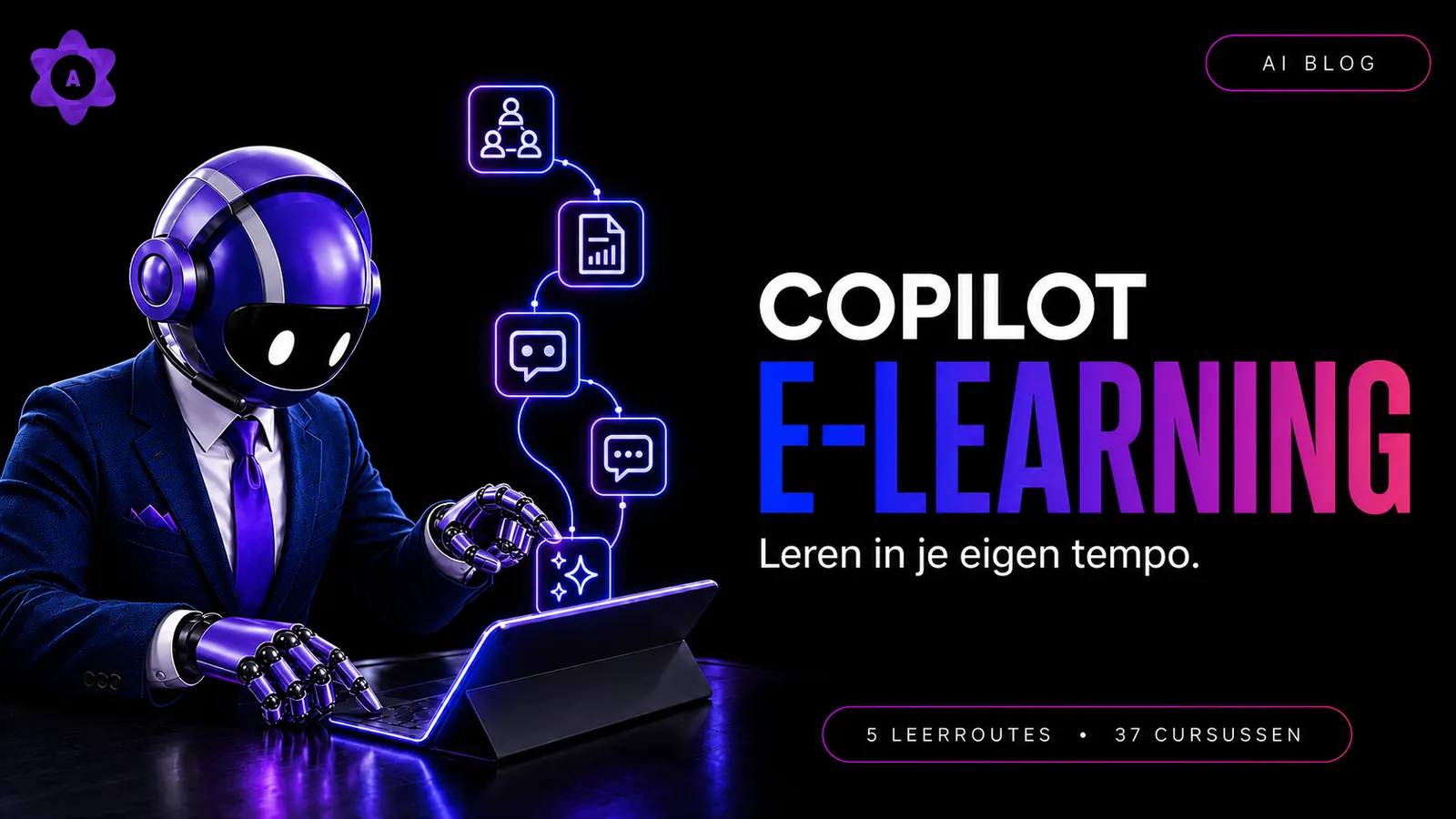
Chances are you and your colleagues already work with AI. Yet it often stays at isolated tricks. In this article you'll read how to change that: why many organizations see Microsoft Copilot as a safe and powerful choice for business use, and how everyone can grow at their own pace with an AI e-learning with Copilot, from first prompt to Copilot Agents.
Just look around. Someone uses ChatGPT to make a text sound more professional. A colleague summarizes a long email. Marketing asks for ten ideas for a LinkedIn post. And before a proposal goes to a client, the text is run through AI one more time.
Useful? Certainly. But often that's where it stops.
AI is used for isolated tasks, at isolated moments, based on whatever someone happened to discover themselves. One colleague has built a collection of good prompts. Another mostly types: "Make this better." And someone else would like to start but isn't sure what is safe or what is actually possible.
In short: people already work with AI. Just not always consciously, structurally and in a way that fits their daily work.
And that is exactly where an AI e-learning with Copilot becomes interesting.
Not because everyone needs even more AI tools. But because things only really start moving when employees learn how to apply Microsoft Copilot step by step to the work that is already on their desk.
Our e-learning deliberately focuses on business Microsoft Copilot, and that is no coincidence. According to Microsoft, prompts and responses are processed within the Microsoft 365 service boundary, are not used to train the underlying AI models, and are protected in the same way as email and files within Microsoft 365, with support for regulations such as the GDPR [4]. On top of that, Microsoft Copilot comes into its own in daily work: it uses your work data in SharePoint and Outlook and is integrated into Word, Excel, PowerPoint, Teams and the mobile app [3].
"What you often see is employees using AI for isolated tasks. Real impact starts when people learn how to apply AI structurally within their daily work."
Rewriting a text is useful, but it isn't real AI skill yet
A single prompt can deliver something instantly. You paste a text into ChatGPT or Microsoft 365 Copilot Chat and ask:
- Make this shorter.
- Write this more professionally.
- Summarize this document.
- Come up with five ideas.
- Create a first version of this email.
These are perfectly good uses. They lower the barrier to AI and let employees quickly experience that the technology helps. But when everyone only uses AI this way, a lot of value is left on the table.
Because what do you do when the answer is too generic? How do you provide enough context? Which source should Copilot use? How do you verify the result? And when do you use Copilot Chat instead of Copilot in Word, Excel, Outlook or Teams?
Microsoft describes prompts as the way you ask Copilot to create, summarize, edit or transform something. In other words: the clearer you ask, the better the answer. Clear language, sufficient context and the occasional follow-up question produce answers you can actually use [5].
The difference therefore isn't just having access to AI. The difference is knowing what you're doing.
From isolated tricks to a consistent way of working
The real step forward happens when employees don't only open AI when they happen to get stuck.
AI becomes more interesting when someone learns to recognize:
- which recurring tasks are suitable for Copilot;
- which context is needed for a good answer;
- how to build a prompt;
- which information you do and don't use;
- how to verify AI output;
- how to refine a result;
- and how to reuse a good approach later on.
That turns an isolated trick into a skill. An employee no longer only asks: "Write an email."
But for example: "Write a short, friendly follow-up email to a client. Mention the three agreed actions, list the deadlines as bullets and close with a proposal for a next meeting."
The second prompt gives more direction. Not because it is technically complicated, but because the goal, the context and the desired format are clearer.
Microsoft describes that a good prompt can consist of four elements: goal, context, expectations and source. A clear goal alone is enough to get started, and the more elements you add, the more specific the answer becomes [6]. In Copilot for Word, that means asking Copilot to start a draft from a prompt, notes or a file. Copilot can also use the broader work context, such as files, emails and meetings [7].
You don't learn that by saving one list of example prompts. You learn it by practicing.
What is Copilot e-learning exactly?
By Copilot e-learning we mean an online learning environment where employees independently learn to work with AI and Microsoft Copilot. So it is not a Microsoft product, but training about Microsoft Copilot. No thick manual, but short lessons you follow alongside your work.
A good online Copilot course isn't only about buttons and features. Employees also learn:
- what generative AI is;
- what AI can and cannot do well;
- how to use AI responsibly;
- how to write effective prompts;
- how to verify and improve answers;
- how to use Microsoft 365 Copilot Chat;
- how Copilot works in familiar Microsoft 365 apps;
- and how to eventually grow towards Copilot Agents.
Microsoft also offers self-paced learning paths, short demonstrations and material for different roles. The Copilot Skilling Center combines the Copilot Academy with guided learning paths such as Get started with Microsoft 365 Copilot, Explore Microsoft Copilot Chat and Copilot user help and learning [2]. Note: Microsoft's Copilot Academy is separate from the AmeCoda Academy.
The principle is simple: not everything at once, but a next practical step every time.
Why learning at your own pace works for everyone
Not every employee starts at the same level, and that's perfectly fine.
One colleague uses several AI tools daily. Another tried ChatGPT once. Some employees mainly want to learn how to write better texts. Others are interested in Excel, meetings or building their own Copilot Agent.
A one-size-fits-all explanation quickly becomes too broad for one person and too fast for another.
With an AI e-learning with Copilot, every employee can start at a suitable level. A beginner can first discover how generative AI works and what responsible use means. A more experienced employee can move faster to prompting or Copilot Chat. Advanced users can dive into Copilot in Word, Excel, Outlook, Teams and PowerPoint, or learn more about Agents.
Employees can also revisit a topic when it becomes relevant. Not because everyone has to finish the same lesson at the same moment, but because learning follows their own pace and their own working day.
AmeCoda explicitly describes the Academy as a place where you learn to work with Microsoft 365 Copilot fully online, at your own pace, with interactive quizzes, gamification and practice-oriented assignments [1].
A layered learning path: from AI basics to Copilot Agents
Within the AmeCoda Academy, the AI e-learning with Copilot consists of five learning paths with 37 courses in total: AI Basics (3 courses), Prompting (2 courses), Microsoft 365 Copilot Chat (12 courses), Microsoft 365 Copilot Premium (14 courses) and Microsoft 365 Copilot Agents (6 courses). Each path consists of short, interactive lessons with practical examples, quizzes and assignments [1].
The five learning paths build logically on each other, from AI basics and prompting to Copilot Chat, the Microsoft 365 apps and finally Copilot Agents. Learning at your own pace is the common thread.
1. AI Basics
Before you can use AI well, you need a general understanding of what you're working with. Not at the level of a programmer or data scientist. But practical enough to know:
- what generative AI is;
- why AI can give a wrong answer;
- why a convincing answer isn't automatically correct;
- which risks exist around privacy and company information;
- and what the difference is between a consumer AI tool and a business AI environment.
The AI Basics path consists of three courses within the Academy. It covers an introduction to AI and generative AI, responsible and safe AI use in the workplace, privacy, ethics and sustainability, and the distinction between consumer and business AI tools [1].
There is also a legal reason to get started. Since 2 February 2025, Article 4 of the European AI Act requires organizations that use or develop AI systems to ensure their staff are AI literate. That means sufficient knowledge of how it works, the opportunities, the risks and responsible use [9]. National market surveillance authorities gain formal enforcement powers from 2 August 2026 [9]. What is appropriate depends on the organization, the use of AI and the risks in practice. See this above all as a good moment to organize AI knowledge consciously and practically.
2. Prompting: learning to ask clearly
A prompt is more than a question. It's the instruction that gives AI direction.
In prompting, employees learn among other things:
- to formulate a clear goal;
- to provide relevant context;
- to name a role or audience;
- to indicate what the result should look like;
- and to improve a first answer further.
The Prompting path consists of two courses and covers the structure of an effective prompt, providing context, role and goal, prompts for writing, summarizing, analyzing and brainstorming, and iteratively improving AI answers [1].
That last point matters. The first result doesn't have to be the final version. Microsoft likewise advises continuing the conversation and collaborating with Copilot through follow-up questions for more useful, tailored answers, whether you're generating content ideas, getting insights from a file or solving technical problems [5].
3. Microsoft 365 Copilot Chat
After the basics and prompting comes the step to Microsoft 365 Copilot Chat.
This path consists of twelve courses and covers working with Copilot Chat in the browser and Teams, safe business use within the Microsoft environment, practical cases for emails, meeting notes, summaries and research, and common tips, pitfalls and best practices [1].
The goal isn't to memorise as many prompts as possible. The goal is that employees learn to think: what do I want to achieve? What information does Copilot need? And how do I assess the result?
Using Copilot in the work that's already there
For many organizations, Copilot becomes interesting mainly because Microsoft offers it inside familiar work environments. On the official support page, Microsoft covers Copilot in Word, Excel, Outlook, Teams and PowerPoint, among others [3].
Within the AmeCoda Academy, the in-depth path is called Microsoft 365 Copilot Premium and consists of fourteen courses. It covers Copilot in Word (drafting, rewriting and improving documents), Copilot in Excel (analyzing data, formulas and insights), Copilot in Outlook (emails, summaries and threads) and Copilot in Teams and PowerPoint (meetings and presentations) [1].
E-learning Copilot in Word
In Word, Copilot can support drafting, rewriting, improving and understanding documents. Microsoft describes how Copilot helps you get past the blank page, rewrite or shorten texts, and summarize documents so you quickly find what matters [7].
An employee can practice with, for example:
- structuring a project proposal based on background, goal, approach, planning and next steps;
- shortening a long text;
- rewriting an internal document for an external audience;
- or turning loose notes into a first draft.
Copilot makes a start. The employee checks the content, adds missing knowledge and ultimately decides what gets used.
E-learning Copilot in Excel
In Excel the emphasis is on data, formulas and insights [1]. Instead of staring at a table, an employee can ask, for example:
- Which developments stand out?
- Which values deviate?
- Can you explain this formula?
- What additional information do I need for a conclusion?
- How can I present this data clearly?
Good e-learning doesn't only teach which question you can ask. Employees also need to understand that the result must be verified and that an analysis remains dependent on the quality and completeness of the data.
E-learning Copilot in Outlook
A full inbox is familiar to many employees. Copilot can be used to summarize email threads, draft a first reply or clearly formulate next steps. Within the AmeCoda path, emails, summaries and threads are covered separately [1].
A practical application is for example: "Summarize this email thread in five bullets, list the open questions and the actions per person, and write a short, professional reply with clear next steps."
That way AI doesn't stay a standalone writing aid, but becomes part of how you process communication.
E-learning Copilot in Teams and PowerPoint
After a meeting there are often plenty of ideas, but the follow-up takes time. In Teams, Copilot helps organize information from a meeting. In PowerPoint, Copilot supports the first structure of a presentation. Both applications, meetings and presenting, are part of the Microsoft 365 Copilot Premium path [1].
Human oversight remains important here too. Was this really the decision? Are the action points correct? Is the message complete? Does the presentation fit the audience? Copilot supports the process. The employee stays responsible for the result.
The next step: getting started with Copilot Agents
Once you master the basics, you can look beyond isolated prompts. Within Copilot, Microsoft offers support and learning material for Agents, including the Researcher agent and Word, Excel and PowerPoint agents [3].
The advanced AmeCoda path consists of six courses. In it, employees learn:
- what Copilot Agents are and how they differ from prompts;
- how to work with Coworker, Researcher, Analyst and other agents;
- how to build your own Microsoft 365 Copilot Agent without code;
- and which practical scenarios exist for HR, marketing, sales and finance [1].
Not every employee needs to reach this level right away. That's precisely the advantage of a layered learning path. First use the basics well. Only then build further.
E-learning or workshop: what works for your organization?
The honest answer: it depends on what you want to achieve.
| Learning format | Especially suitable for |
|---|---|
| Workshop | A shared start, interaction, asking questions and covering organization-specific examples |
| E-learning | Learning at your own pace, repeating knowledge, serving different levels and onboarding new employees |
| Combination | Building shared enthusiasm and then continuing to practice structurally |
Within the AmeCoda AI Ready program, a Copilot Scan, workshops and practical assignments are combined into 6 contact moments in one month, in which employees learn to apply Microsoft 365 Copilot Chat effectively to their own work. In-depth follow-up workshops such as Microsoft 365 Copilot Premium and Copilot Studio Agents are available [8].
The e-learning then forms the flexible layer around it. Employees can look up topics again, start a next learning path and keep practicing when an application becomes relevant to their work.
- A workshop alone suits an organization that mainly wants a shared start, with limited need for anchoring afterwards.
- E-learning alone suits individual professionals or teams that want to learn independently and already have some AI experience.
- The combination suits organizations that want to embed AI structurally. Workshops create momentum; e-learning provides repetition and onboarding for new employees.
You only really learn AI by doing it
Watching a video can clarify something. But only when you try it yourself do the questions that really matter appear.
Why is the answer too generic? Which context is missing? Did I use the right source? Is this information suitable to share? How do I apply this to my own role?
That's why the AI e-learning with Copilot in the AmeCoda Academy works with directly applicable assignments and cases from real work situations. The learning paths are practical and in Dutch, and include quizzes and assignments alongside the lessons [1].
A good practical assignment doesn't have to be big. For example, let an employee:
- choose one recurring task;
- write a first prompt;
- check the result;
- improve the prompt;
- and record when this approach can be reused.
That way learning is immediately about their own work. Not a fictional case forgotten after the lesson, but an application that's usable again the next working day.
How online learning stays clear and, above all, enjoyable
An online Copilot course only works when employees know where they stand and what their next step is.
The AmeCoda Academy supports this with three characteristics that set the learning paths apart [1]:
- Practical: directly applicable assignments and cases from real work situations.
- Certificates: after completing a full learning path, the participant receives an AmeCoda Academy certificate.
- Gamification: XP, progress, tokens and leaderboards make learning motivating.
Gamification isn't the goal in itself. It mainly helps make progress visible. The content stays focused on responsible and practical use of Microsoft 365 Copilot.
Independent learning doesn't mean: figure it out yourself
E-learning gives employees freedom. But within an organization it helps to give that freedom a clear framework. For example, make agreements about:
- which learning path fits which group;
- how much time employees get during the working week;
- which of their own tasks they want to improve;
- where good prompts are shared;
- and who employees can turn to with questions.
That way e-learning doesn't stay a link that's sent around once. It becomes a shared way to build AI skills, while every employee learns at their own level and at their own pace.
Conclusion: from occasionally using AI to really working with it
You and your colleagues probably no longer need convincing that AI can do something. The first applications are already there. Texts are rewritten. Documents summarized. Emails drafted. Ideas generated.
The next step isn't simply using more AI. The next step is learning when, why and how to apply AI well.
With the AI e-learning with Copilot in the AmeCoda Academy, employees can start with the basics and then grow towards prompting, Microsoft 365 Copilot Chat, Copilot in Word, Excel, Outlook, Teams and PowerPoint, and finally Copilot Agents.
Not everything at once. Not the same for everyone. But practical, layered and at a pace that suits the employee.
Frequently asked questions about AI e-learning with Copilot
What is Copilot e-learning?
Copilot e-learning is a general term for online lessons where employees independently learn to work with AI and Microsoft 365 Copilot. It is not a Microsoft product. At AmeCoda you follow the AI e-learning with Copilot in the AmeCoda Academy, through five carefully structured learning paths with short, interactive lessons, practical examples, quizzes and assignments [1].
Is the AI e-learning with Copilot suitable for beginners?
Yes. The first path, AI Basics, starts with the foundation: what AI is, how it works and how to use it responsibly. Prompting and Microsoft 365 Copilot Chat follow. Experienced users can continue with Microsoft 365 Copilot Premium and Copilot Agents [1].
Which topics does the online Copilot course cover?
The five learning paths cover: AI Basics (3 courses), Prompting (2 courses), Microsoft 365 Copilot Chat (12 courses), Microsoft 365 Copilot Premium (14 courses) and Microsoft 365 Copilot Agents (6 courses). Together 37 courses on responsible AI use, prompting, Copilot Chat, Copilot in Word, Excel, Outlook, Teams and PowerPoint, and working with Copilot Agents [1].
Can every employee start at a different level?
The learning paths are classified as beginner, beginner/advanced and advanced. That allows the organization to decide per employee or team which path fits best [1].
Is the AI e-learning with Copilot only meant for organizations?
According to the learning paths page, the Academy is suitable for both individual professionals and teams throughout the Netherlands, from Noord-Holland and West-Friesland to Zuid-Holland and Friesland [1].
Do you need a Microsoft 365 Copilot license?
That depends on which components someone wants to practice with and on the organization's Microsoft 365 settings. Not every Copilot feature is available in every subscription; Microsoft advises users to check which Copilot license or suitable Microsoft 365 subscription they have [7].
Does e-learning replace a classroom Copilot training?
Not necessarily. A workshop is strong for interaction, shared examples and organization-specific questions; e-learning is especially valuable for repetition, depth, different entry levels and learning at your own pace. Within the AmeCoda AI Ready program both formats are deliberately combined into 6 contact moments in one month [8].
Do participants receive a certificate?
Yes. After completing a full learning path, the participant receives an AmeCoda Academy certificate [1].
Please note: this article is intended as general information and not as legal, privacy or compliance advice. Every organization remains responsible for assessing which AI solutions, processes and measures suit its own situation and applicable laws and regulations.
AmeCoda is an independent provider of training and advice on Microsoft Copilot and is not affiliated with, authorized by, sponsored by or part of Microsoft. The AI e-learning with Copilot in the AmeCoda Academy is AmeCoda's own product. Microsoft, Microsoft 365 and Copilot are trademarks of the Microsoft group of companies.
References
- [1]https://amecoda.com/diensten/copilot-ai-elearning-leerroutes
- [2]https://adoption.microsoft.com/en-us/copilot/skilling-center/
- [3]https://support.microsoft.com/nl-nl/microsoft-365-copilot/
- [4]https://learn.microsoft.com/en-us/copilot/microsoft-365/microsoft-365-copilot-privacy
- [5]https://support.microsoft.com/nl-NL/Microsoft-365-Copilot/write-a-great-prompt-in-microsoft-365-copilot
- [6]https://support.microsoft.com/nl-NL/Microsoft-365-Copilot/get-started-writing-prompts-in-microsoft-365-copilot
- [7]https://support.microsoft.com/nl-nl/word/welcome-to-copilot-in-word
- [8]https://amecoda.com/diensten/microsoft-copilot-workshops
- [9]https://artificialintelligenceact.eu/article/4/